Tips for Creating a Cozy and Productive Home Office Space
Creating a home office that feels both cozy and productive is a key step toward making working from home enjoyable and efficient. Whether you’re starting from scratch or updating your current setup, thoughtful design can help you stay focused, motivated, and comfortable throughout the day. This guide offers practical tips and ideas to help you create a workspace that meets your needs and suits your personal style.
Why a Cozy and Productive Office Matters
Your home office is more than just a desk and a chair—it’s the place where you spend much of your day working, brainstorming, and tackling tasks. A space that feels inviting and well-organized can boost concentration and reduce stress. Conversely, a cluttered or uncomfortable area can make work feel draining and slow you down.
Balancing coziness and productivity means creating an environment where you want to spend your time, but also one that supports your workflow.
Choose the Right Location
Consider Natural Light
Whenever possible, pick a spot with ample natural light. Sunlight can improve mood and alertness, making it easier to stay focused.
Minimize Distractions
Select a quiet corner of your home away from heavy foot traffic, television noise, or kitchen activity. A separate room or a well-partitioned space can help limit interruptions.
Assess Available Space
You don’t need a large room. Even a small nook can become an effective home office with the right layout and furniture.
Invest in Comfortable, Functional Furniture
Ergonomic Chair
Invest in a supportive chair that encourages good posture. Comfort is essential for long hours of sitting.
Desk Options
Choose a desk that fits your space and tasks. Standing desks or adjustable desks add flexibility and promote movement.
Storage Solutions
Keep your workspace tidy with shelves, file cabinets, or organizers. Reducing clutter helps maintain focus.
Personalize Your Space
Use Calming Colors
Soft, neutral colors or shades that you find soothing can create a calming atmosphere.
Add Plants
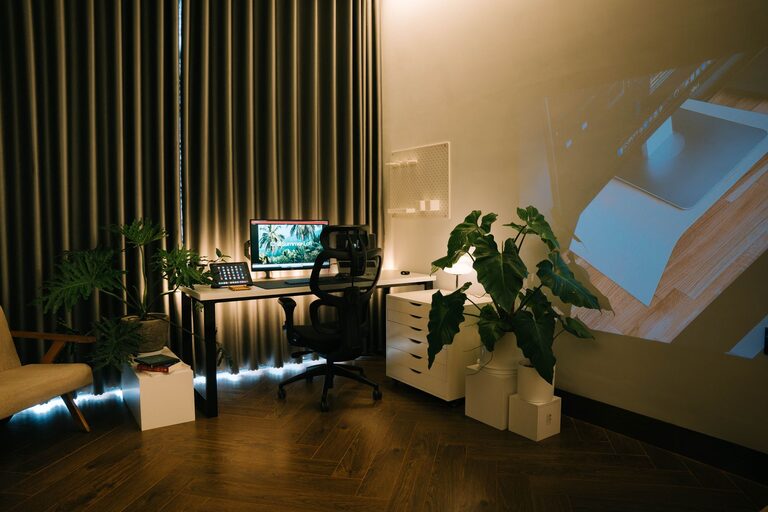
Incorporating plants improves air quality and adds a lively touch. Plants have been shown to reduce stress and increase productivity.
Display Inspiring Items
Photos, artwork, or motivational quotes can personalize the space and keep you inspired.
Optimize Lighting
Layer Your Lighting
Combine natural light with ambient lighting and task lighting. Desk lamps or adjustable lights can reduce eye strain during focused work.
Avoid Glare
Position your monitor and light sources to prevent glare. This helps maintain comfort and visibility.
Organize Technology and Supplies
Cable Management
Use cable clips or sleeves to keep cords neat and out of the way.
Essential Tools Within Reach
Keep frequently used supplies—pens, notebooks, chargers—close at hand, so you don’t waste time searching for them.
Reliable Tech Setup
Ensure your computer, internet connection, and peripherals are reliable to avoid interruptions.
Incorporate Break and Movement Areas
Small Stretching Zone
If space allows, have a corner for stretching or quick exercises to help refresh your body and mind.
Comfortable Seating Nearby
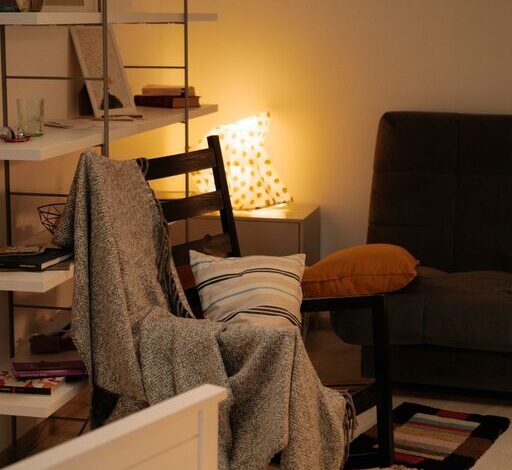
A cozy chair or small sofa for breaks can provide a change of scenery and relax your body between work sessions.
Maintain Organization Daily
End-of-Day Routine
Spend a few minutes tidying your desk to reset the space for the next day.
Use Digital Tools
Apps for task management and reminders can complement your physical organization.
Final Thoughts
Designing a cozy and productive home office is about more than aesthetics. It’s about creating a setting that energizes you, supports your work habits, and adapts to your needs. With these tips, you can develop a space that makes working from home feel both comfortable and effective. Remember, the best office is one that fits your unique style and helps you accomplish your goals comfortably each day.